Job Enhancements
Overview
Yeedu jobs now include enhanced file management, improved path handling, and per-job YCU (Yeedu Compute Units) cost tracking.
File Picker Enhancements
Upload Files
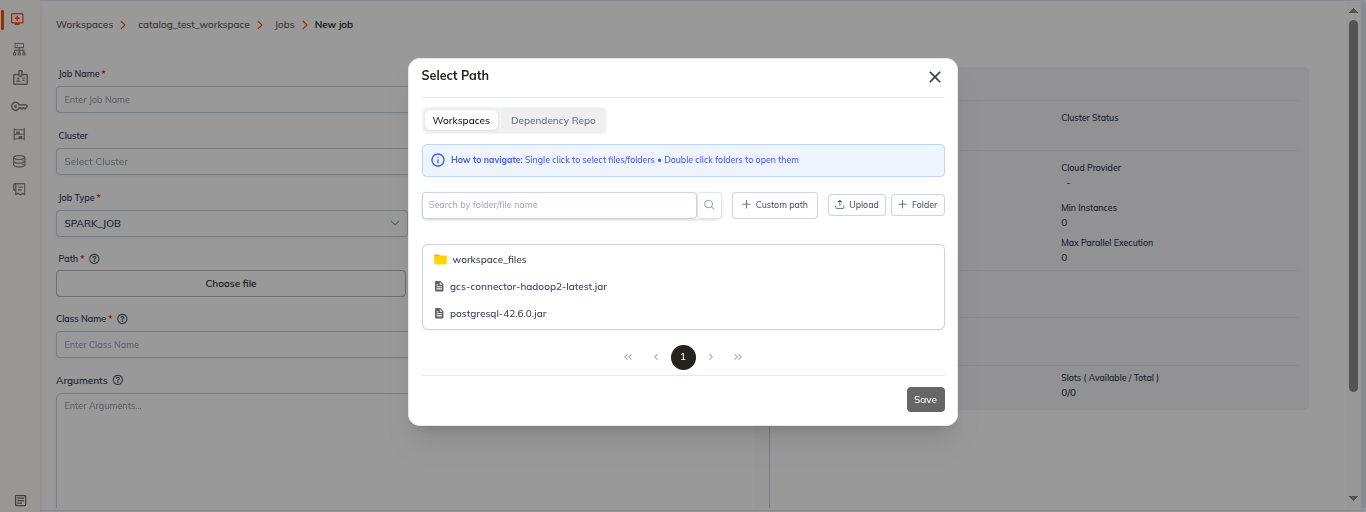
Upload files directly during job creation:
- In job configuration, find Choose file
- Click Upload button
- Select file/folder from computer
- File/folder uploaded to workspace files
- Reference in job configuration
Create Folder
Create folder in file picker:
- Click Create Folder button
- Enter folder name
- Folder created in workspace files
- Use to organize job files
Copy Path
Quick path copying for easy reference:
- Right-click on file/folder
- Select Copy Path
- Path copied to clipboard:
/workspace/path/to/file.txt
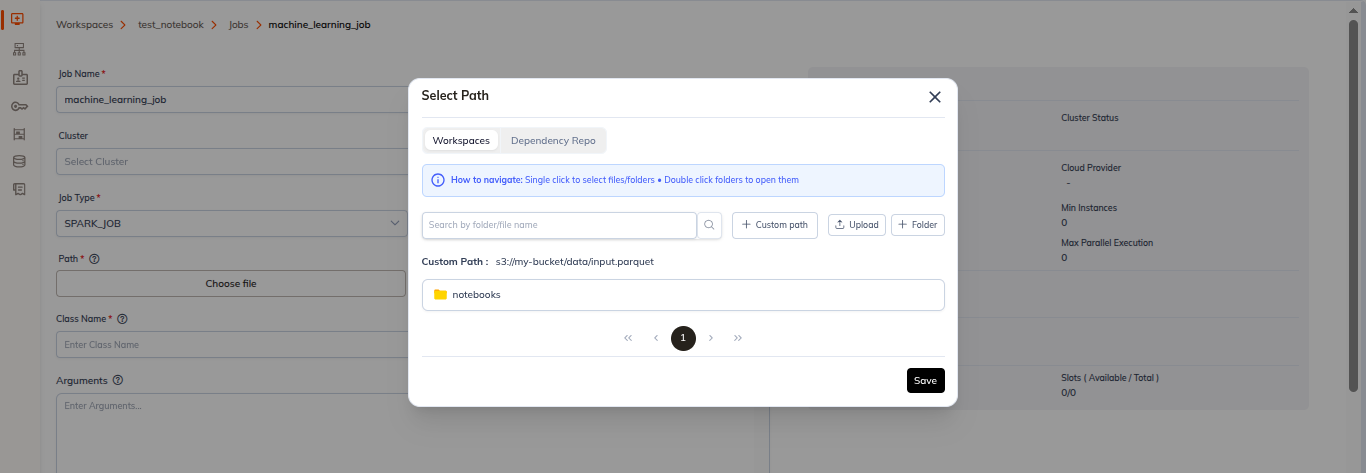
- Paste the copy path after clicking on custom path
- Click on save and it is added to job configuration
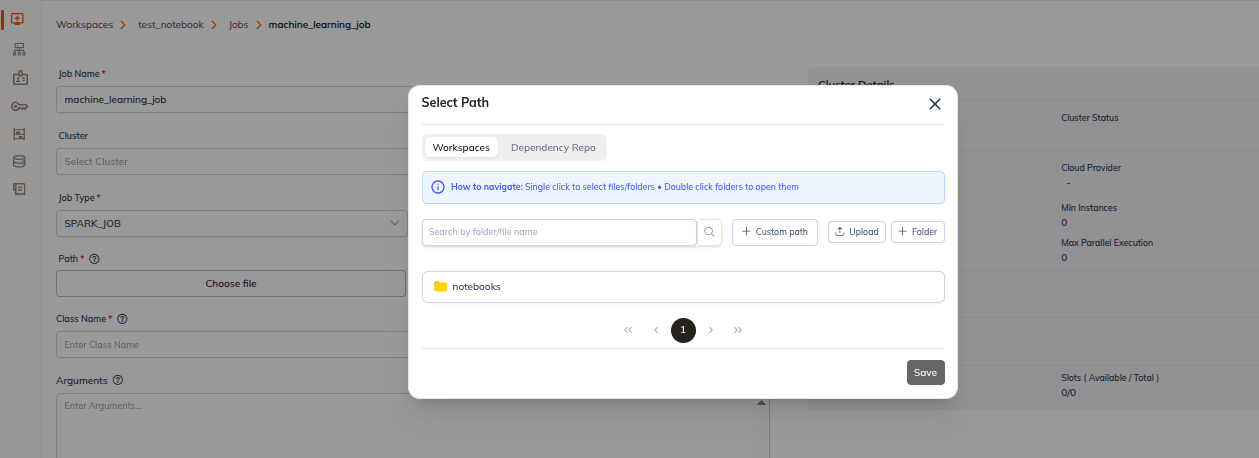
Custom Path Support
Use flexible path definitions for jobs, including workspace variables, absolute targets, and date-based dynamic paths.
-
Path variables
${WORKSPACE_PATH}/data/input${TEMP_PATH}/outputs${CLUSTER_PATH}/scripts
-
Absolute paths
s3://my-bucket/data/input.parquet/mnt/shared-storage/files
-
Dynamic paths with DateFormat
/data/${YEAR}/${MONTH}/${DAY}/input.csv/archive/${DATE}/${JOBID}/output.parquet
YCU Per-Job Tracking
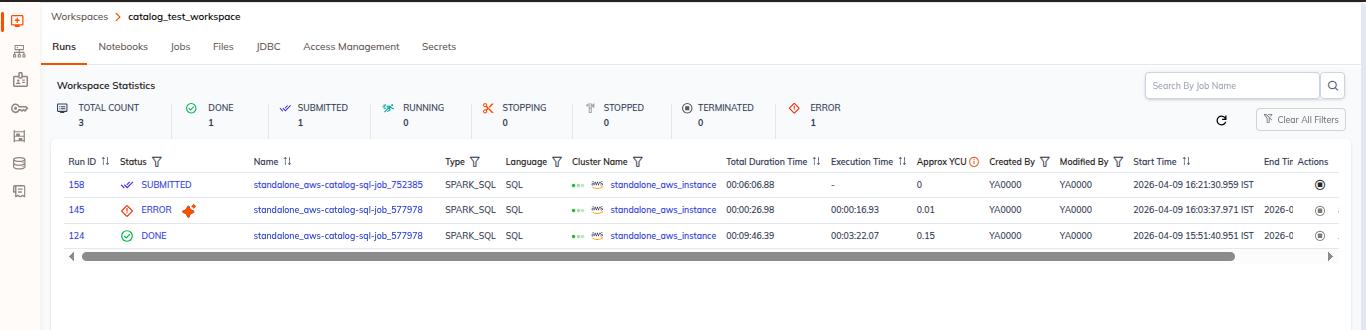
Approx YCU Display
See estimated compute cost per job:
- Go to Runs
- Find Approx YCU column
- Shows approximate cost (YCU units)
- Represents resource consumption
Import Job Enhancements
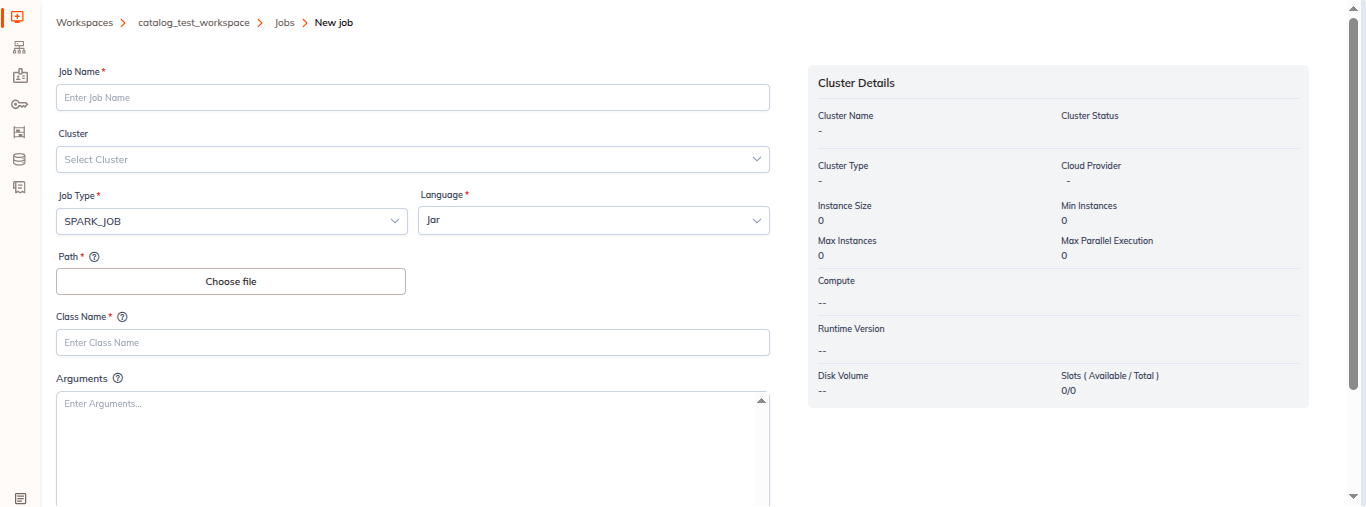
Mandatory Language Field
When importing data, language is now required:
- In import job configuration
- Language field is mandatory
- Select:
- Python: For Python transformations
- SQL: For SQL queries
- RAW_SCALA: For Scala operations and raw Scala code
- Jar: For Java/Scala packaged JAR jobs
Why Language Required
- Proper syntax highlighting
- Type checking
- Optimization
- Error detection
- Library resolution