Creating and Managing Secrets
Overview
Secrets in Yeedu securely store sensitive information such as credentials, API keys, and tokens. This guide walks you through creating and managing secrets for your workspace.
Creating Secrets
Steps to Create a Secret
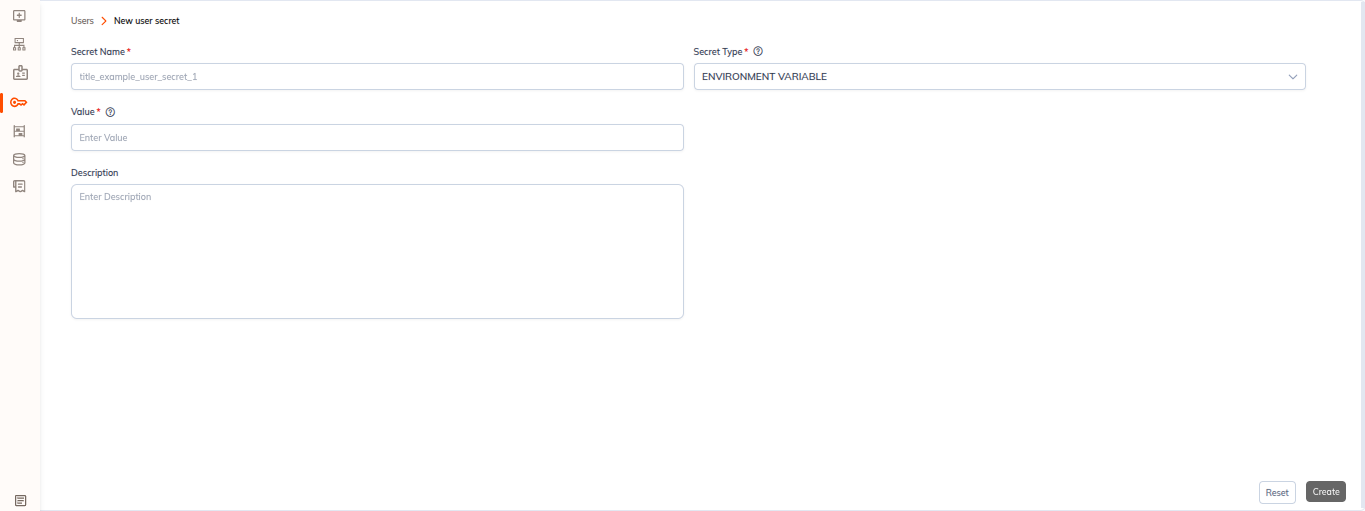
- Navigate to the Secrets section in the left sidebar.
- Click the + Secret button to create a new secret.
- Select the desired secret type based on your use case.
- Enter all required fields with the secret information.
- Review the information and click Save.
Note: All fields are validated before saving, and secret values are securely stored in your vault.
Managing Secrets
Available Actions
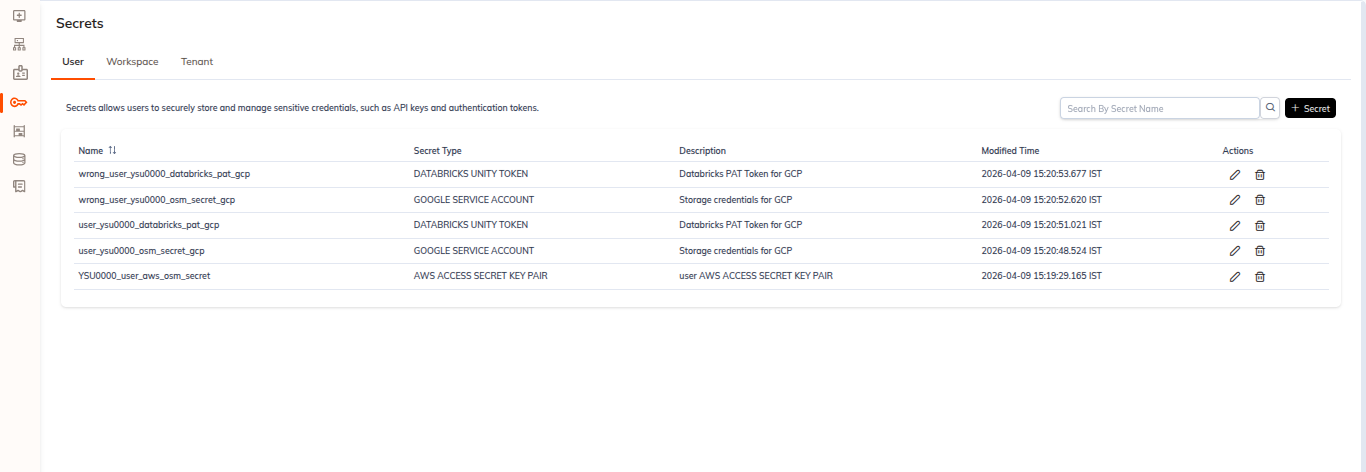
Once created, secrets can be managed through the following actions:
- ✏️ Edit – Modify existing secret values and configurations.
- 🗑️ Delete – Remove secrets that are no longer needed.
- 🔍 Search – Quickly find secrets by name or type.
Best Practices
Security Guidelines
- Update secrets centrally rather than modifying code directly.
- Regularly review and rotate sensitive credentials.
- Remove unused secrets to minimize security exposure.
- Use descriptive names to identify secret purposes.
- Store only necessary information in secrets.
When to Use Secrets
Use secrets to store:
- Database connection credentials
- API keys and tokens
- Cloud provider credentials
- Authentication certificates
- OAuth tokens
- SSH keys