Node-Level Cluster Monitoring
Overview
Yeedu clusters now support node-level monitoring and management. Monitor individual cluster nodes with detailed metrics, view node health, and track node-specific events.
Node-Level Dashboard
Accessing Node Dashboard
- Navigate to Clusters
- Click on a specific cluster
- Click Nodes tab
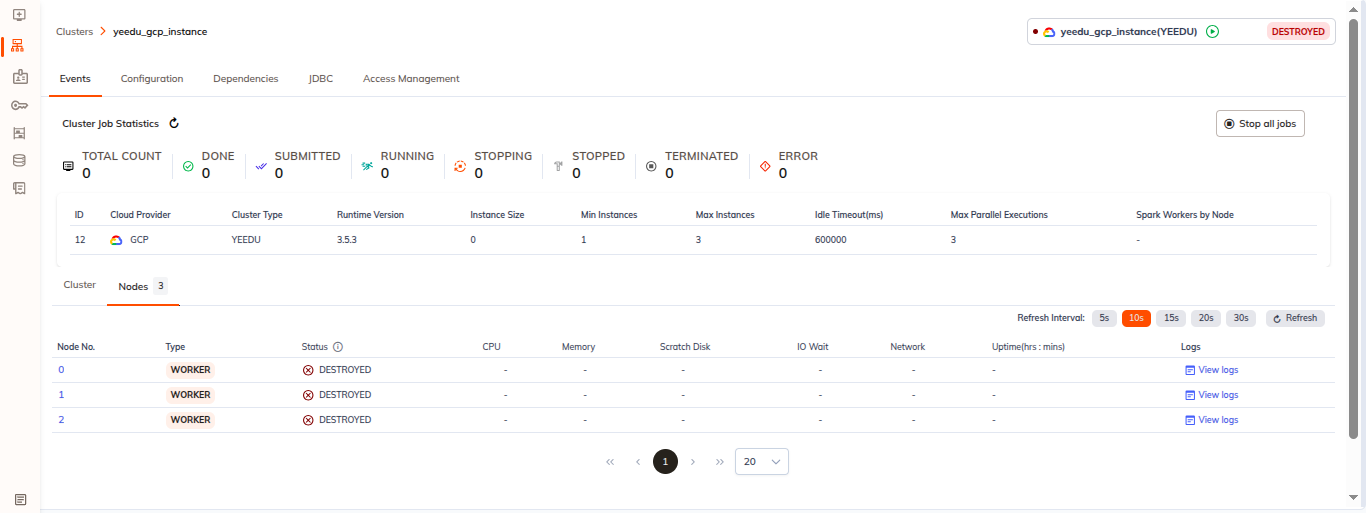
- See all nodes in the cluster with status
Node Information
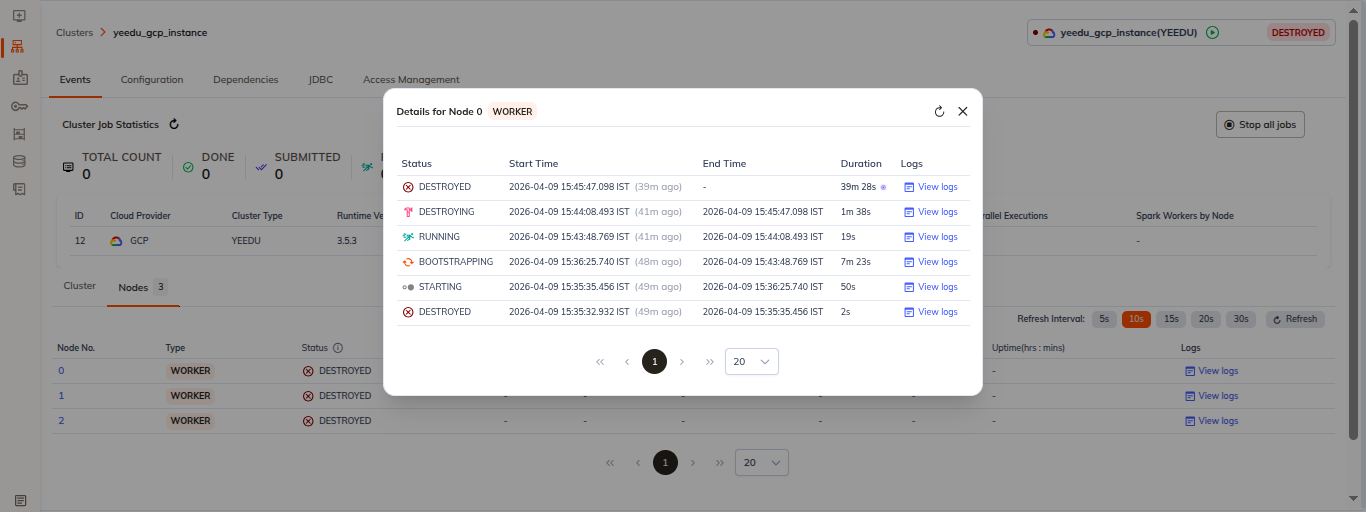
When you click on a specific node, the node details panel shows:
- Node name/ID: Specific node identifier
- Status: Current node status such as ERROR, STARTING, DESTROYING, or DESTROYED
- Start Time: When the current node lifecycle event began
- End Time: When the node finished or transitioned states
- Duration: Duration of the current or most recent lifecycle operation
- Logs: Quick link to view node logs for troubleshooting
Node Metrics
Real-Time Metrics
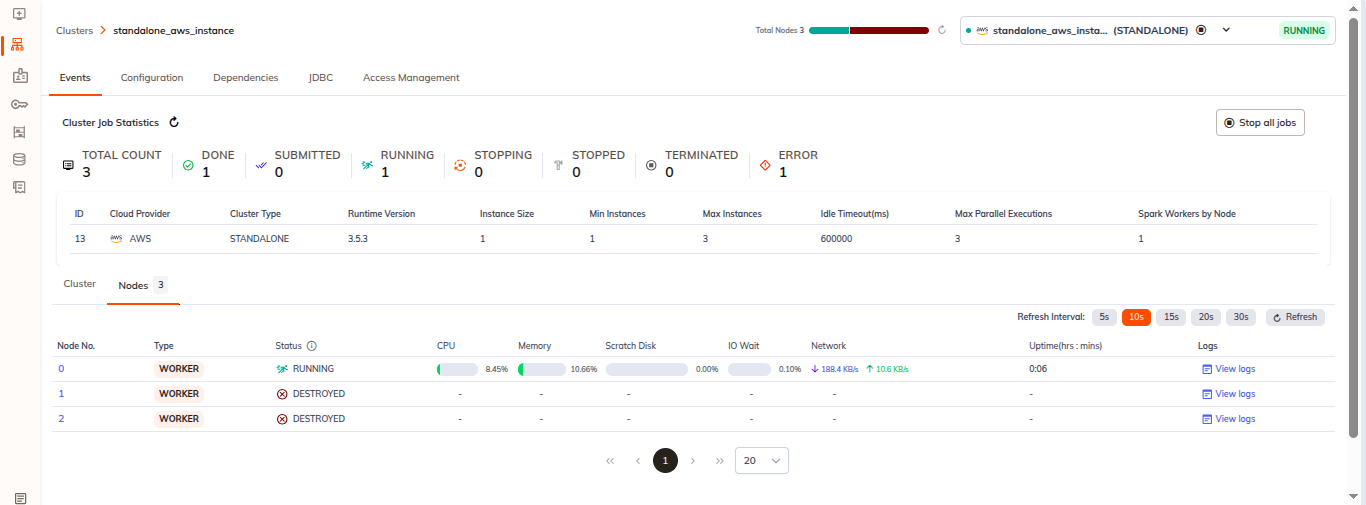
For each running node, monitor:
| Metric | Description | Range |
|---|---|---|
| CPU Usage | Percentage of CPU utilized | 0-100% |
| Memory Usage | GB of memory in use | Absolute value |
| Disk Usage | GB disk space used | Absolute value |
| Network In | Incoming network bandwidth | Mbps |
| Network Out | Outgoing network bandwidth | Mbps |
| Uptime | How long node has been running | Duration |
Node Health Status
Status Indicators
- ✓ Running: Node is operational
- ⊘ Stopping: Node is being shut down
- ⚠ Error: Node encountered an error
- ⊗ Destroyed: Node has been removed
- ? Starting: Node is starting up
Health Checks
Node health determined by:
- Heartbeat from node
- Agent connectivity
- Resource availability
- System processes status
Node Issues
If node shows errors:
- Click on node details
- View Error Details section
- Review error message
- Check Recent Events
- Troubleshoot based on reason
Node Events
View all events for the cluster:
- Click Events tab in cluster
- Then click on Nodes tab for Node Events: Individual node operations
Node Operations
View Node Details
- In the Nodes tab, click on a node name
- See the node details panel with:
- Node name/ID and role (Worker or Master)
- Current status and lifecycle information
- Start time, end time, and duration for the node event
- A link to view node logs
- Hardware specifications, network configuration, and resource allocation when available
Node Resource Allocation
View resources allocated to node:
- vCPU: Number of cores
- Memory: RAM amount
- Storage: Local disk capacity
- GPU (if applicable): GPU resources
Node Health and Reliability
Monitor node health across CPU, memory, disk, and network to keep the cluster stable.
- CPU: Normal 20-80%, warning above 85%, critical above 95%.
- Memory: Normal 30-80%, warning above 85%, critical above 95%.
- Disk: Normal 20-70%, warning above 80%, critical above 90%.
- Network: Normal varies by workload; warning when sustained high bandwidth or timeouts occur.
When resources are high:
- Check running jobs and resource usage
- Review logs and process activity
- Optimize workloads and data locality
- Scale or adjust cluster capacity where needed
Yeedu also supports node reliability controls:
- Destroying a master node typically triggers worker destruction to prevent orphaned nodes.
- Enable Master Protection in cluster settings to require confirmation before master destruction.