Credentials
Credentials in Yeedu are used to securely store and manage the authentication details required to connect to various cloud providers and external systems.
Overview
The Credentials section under Settings allows administrators to configure and manage access keys, secret keys, service account JSONs, and other authentication mechanisms. These credentials are required when setting up a Cloud Environment.
Managing Credentials
To manage your credentials:
- Navigate to Settings > ADMIN > Credentials.
- From this interface, you can view the list of existing credentials, their associated cloud providers, and edit or delete them as needed.
Credential Fields
The Credentials table displays the following information for each credential:
- ID: A numeric identifier for the credential within Yeedu.
- Name: The unique name given to the credential.
- Cloud Provider: The target cloud provider (e.g., Azure, GCP, OnPrem).
- Credential Type: The authentication mechanism used (e.g., Proxmox Basic Auth, Azure Service Principal, Google Service Account).
- Created By & Modified By: The user ID of the person who created or last modified the credential.
- Created Time & Modified Time: The exact timestamp when the credential was created or updated.
- Actions: A menu (⋮) to edit or delete the credential.
Creating a New Credential
Click the + Credential button at the top right to define a new set of credentials for a specific provider.
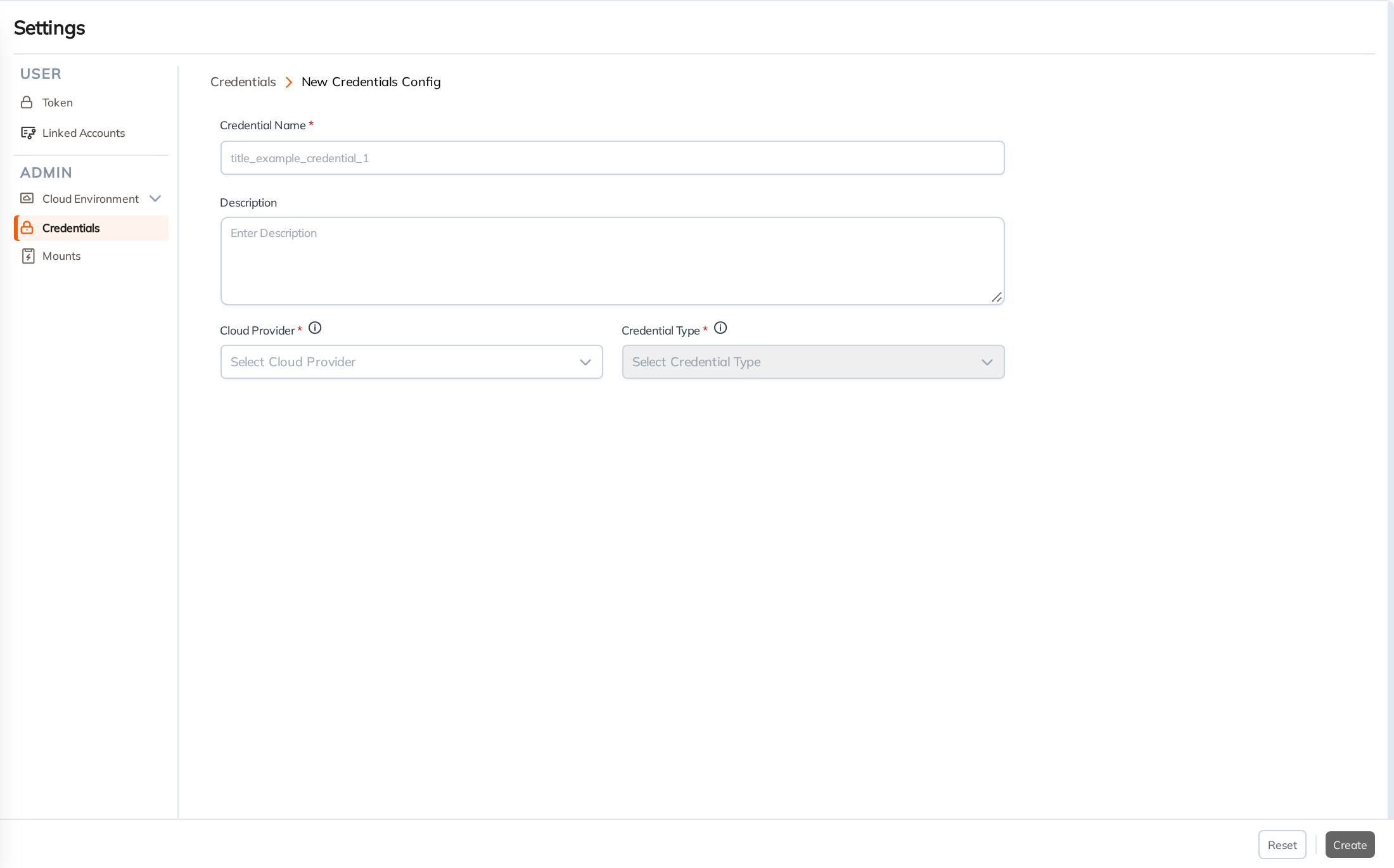
When configuring a new credential, you will need to provide:
- Credential Name: A unique identifier for the credential within Yeedu.
- Description: An optional description of its intended use.
- Cloud Provider: The target cloud provider or service (e.g., AWS, GCP, Azure, OnPrem).
- Credential Type: The method of authentication required by the selected provider (e.g., Service Principal, Basic Auth).
After selecting the provider and type, additional specific fields will appear to input your tokens, secrets, or keys.