Bootdisks
Bootdisks represent the machine images (such as AMIs on AWS, Disk Images on GCP, or OS images on Azure/OnPrem) that Yeedu will use when spinning up virtual machines for your clusters.
Overview
The Bootdisks section is located under Settings > ADMIN > Cloud Environment > Bootdisks. You define a boot disk image to specify the base operating system required to spin up clusters in Yeedu. This ensures that every virtual machine provisioned in your environment boots with the exact OS distribution and architecture you need.
Bootdisk Fields
The Boot Disk Images table displays the following information for each image:
- ID: A numeric identifier for the bootdisk configuration.
- Name: The custom name assigned to the boot disk config (e.g.,
e2e-flow-adv-boot-1785...). - Cloud Provider: The provider hosting the image (e.g., OCI, OnPrem, Azure, AWS, GCP).
- Linux Distro: The distribution and version (e.g.,
UBUNTU 22.04 LTS,RHEL 8). - Boot Disk image: The specific image identifier or URN on the cloud provider (e.g.,
ami-00eb69...,jammy-server...). - Architecture Type: The supported architecture (e.g.,
x86_64). - Created By & Modified By: The user ID of the person who created or last modified it.
- Created Time: The exact timestamp when the bootdisk was created.
- Actions: A menu (⋮) to edit or delete the boot disk configuration.
Configuring a Bootdisk
To add a new Bootdisk, click the + Boot Disk button at the top right.
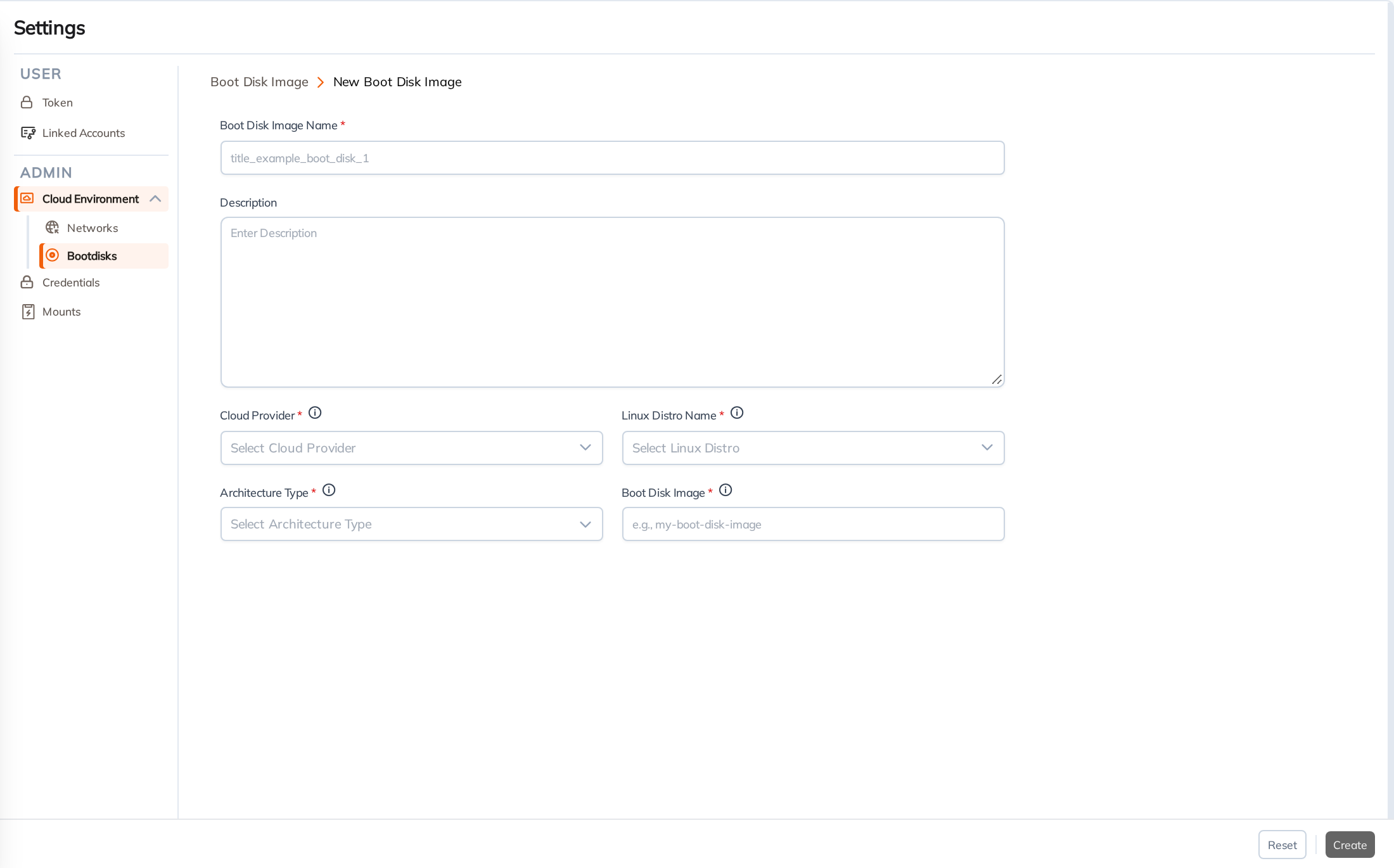
When registering a new Bootdisk, you must fill out the New Boot Disk Image form:
- Boot Disk Image Name: A unique title to easily identify the image (e.g.,
title_example_boot_disk_1). - Description: An optional explanation of the image's purpose.
- Cloud Provider: The target provider hosting the image (e.g., AWS, GCP).
- Linux Distro Name: The operating system distribution (e.g., Ubuntu, CentOS).
- Architecture Type: The supported architecture (e.g., x86_64, arm64).
- Boot Disk Image: The specific identifier/URN of the image on the cloud provider (e.g., AMI ID for AWS, exact image name for GCP).
Like Credentials and Networks, Bootdisk configurations are linked to your Cloud Environment settings to streamline the provisioning process.