Personal Access Tokens
Personal Access Tokens (PATs) are secure, time-bound credentials used to:
- Authenticate to the Yeedu API
- Integrate Yeedu with tools like Airflow, ADF, Databricks
- Replace sensitive password-based auth flows
Tokens are user-scoped and can be revoked at any time.
Create a New Token
To generate a new token:
Accessing User Settings
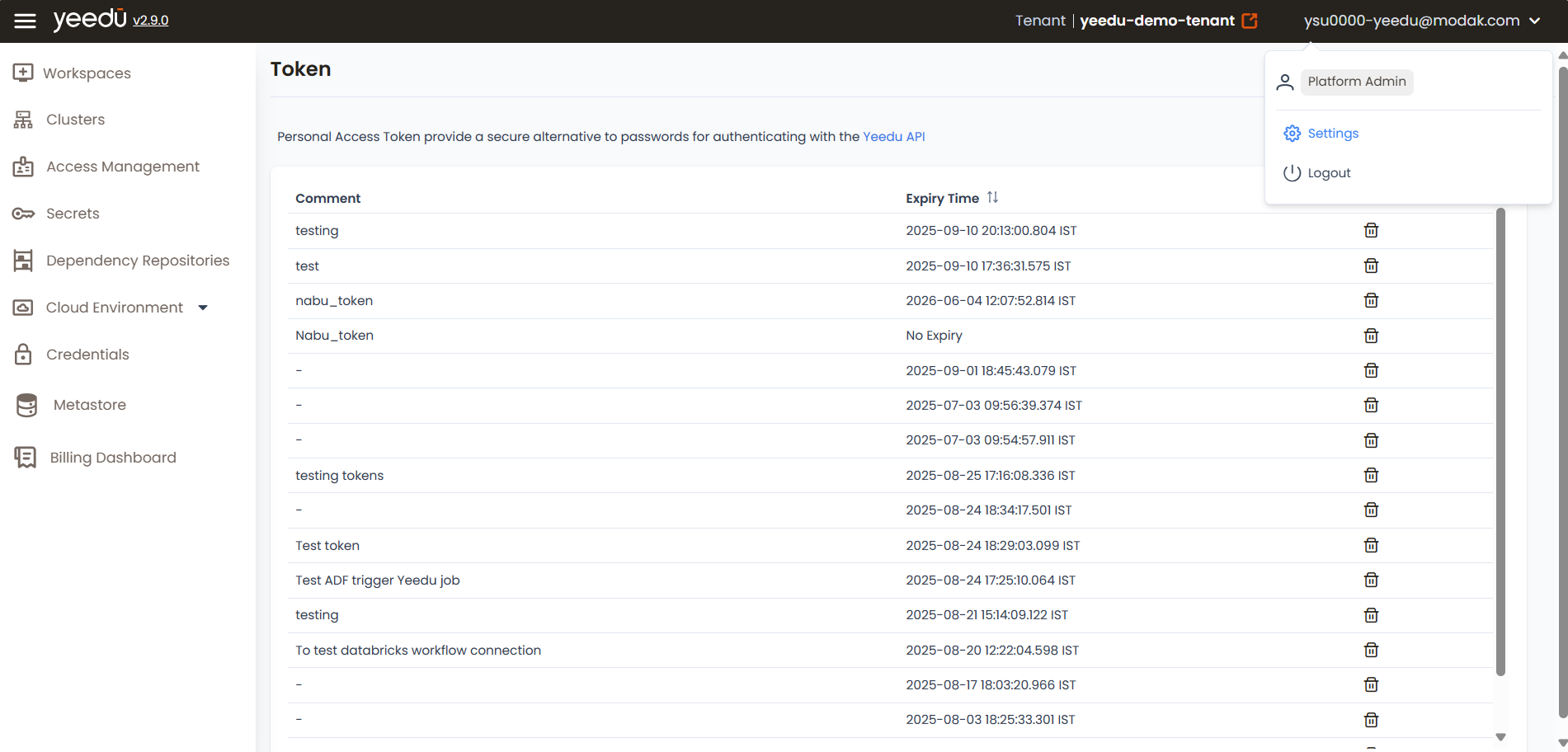
To access User Settings:
Click on your user avatar in the top-right corner,
then select Settings from the dropdown.
This opens the User Settings page where you can manage:
- Personal access tokens
- Profile details
- Preferences and configurations
Generating a Personal Access Token
-
Click the
+ Generatebutton at the top-right corner of the Tokens page. -
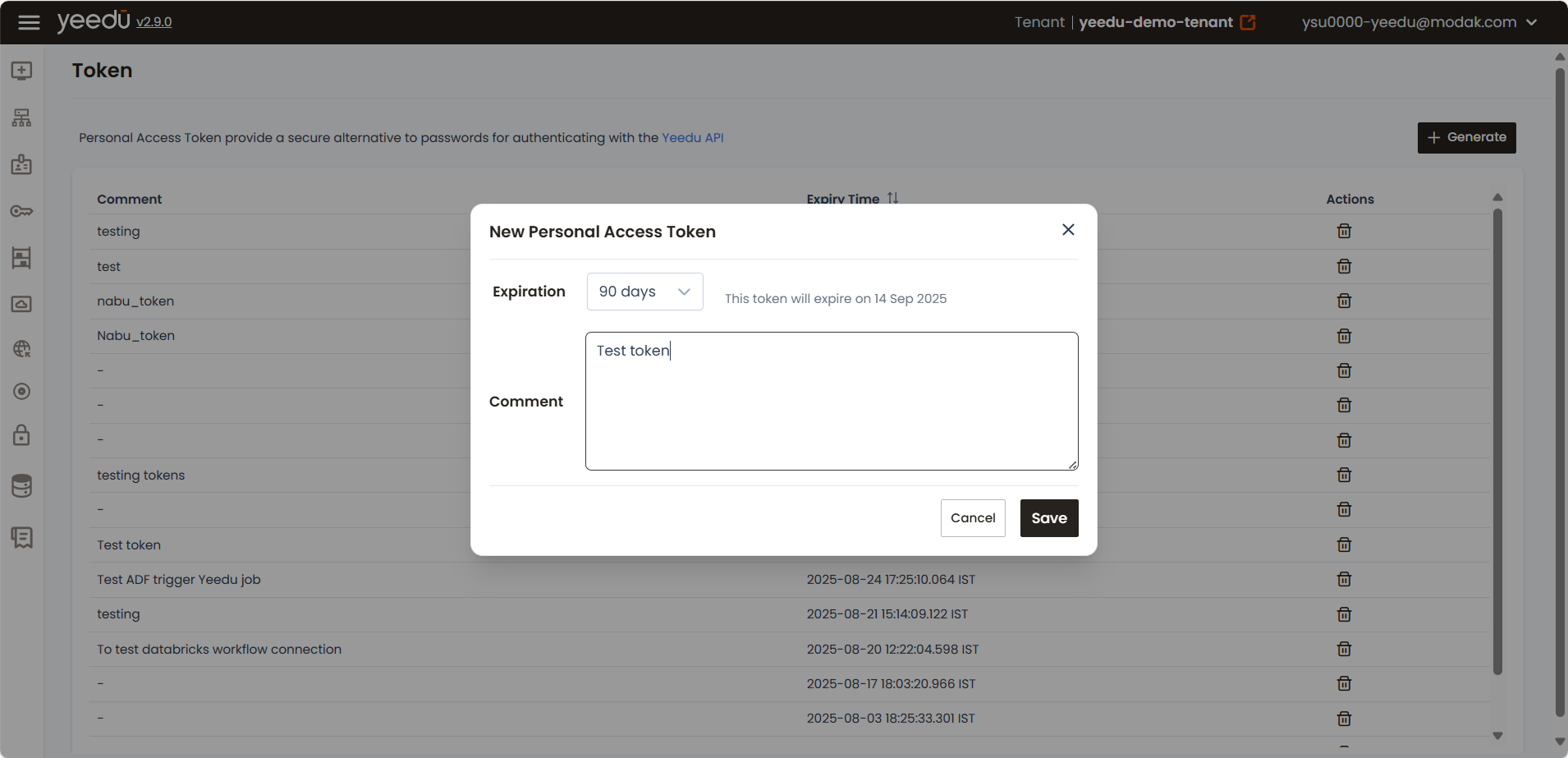
In the New Personal Access Token pop-up:
-
Expiration: Choose the validity period:
90 days180 days365 daysNo ExpiryCustom
-
Comment: Add a meaningful label
(e.g.,Test token,Token for Databricks job)This helps you easily identify the token later.
-
-
Click
Saveto create the token.
Copy and Store the Token
Once created:
- A success message will appear displaying your token.
- Copy and save the token immediately — it will not be shown again.
- Use the clipboard icon to quickly copy the token.
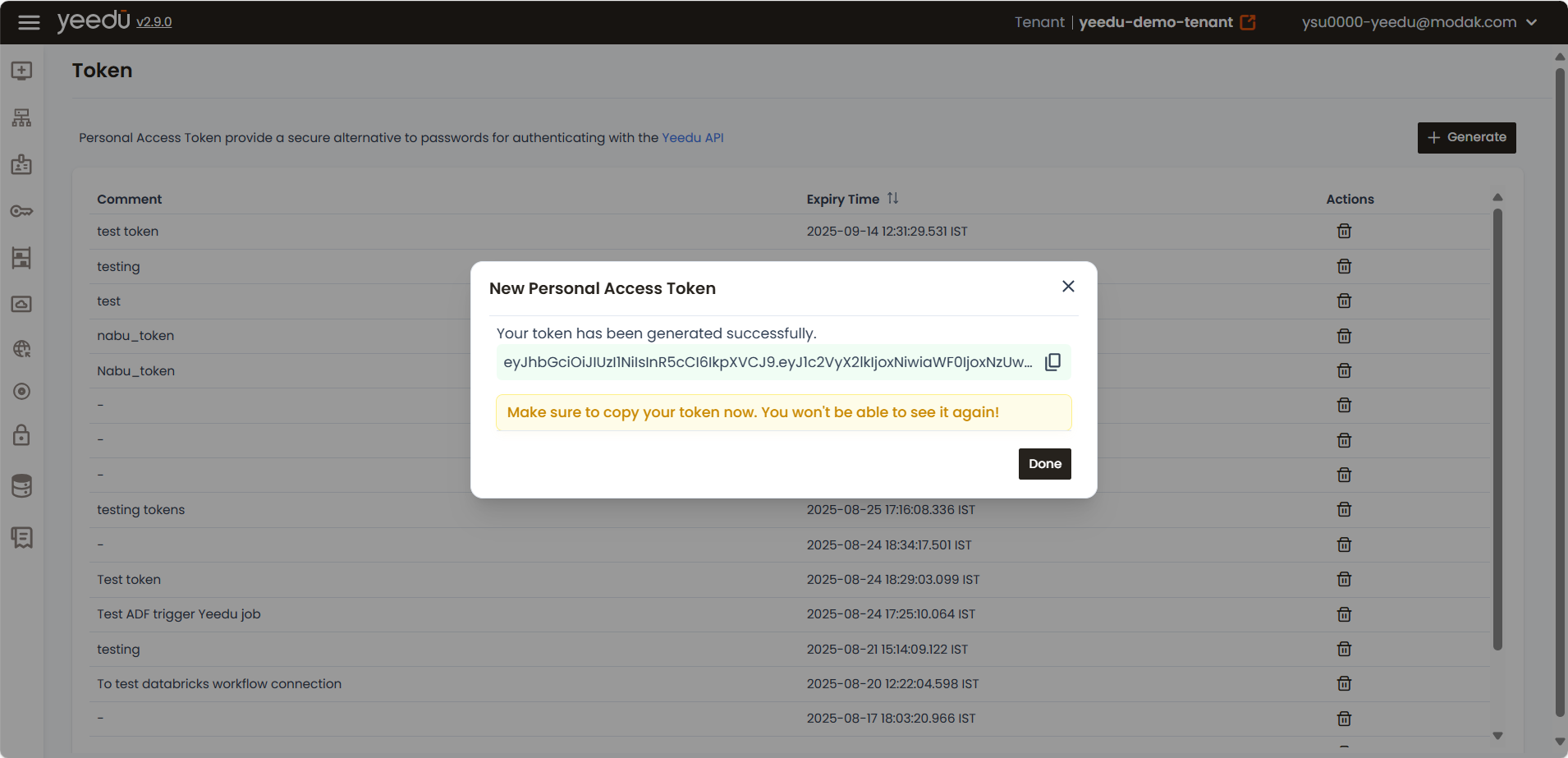
⚠️ Lost tokens cannot be retrieved. If lost, create a new one.
Token Management
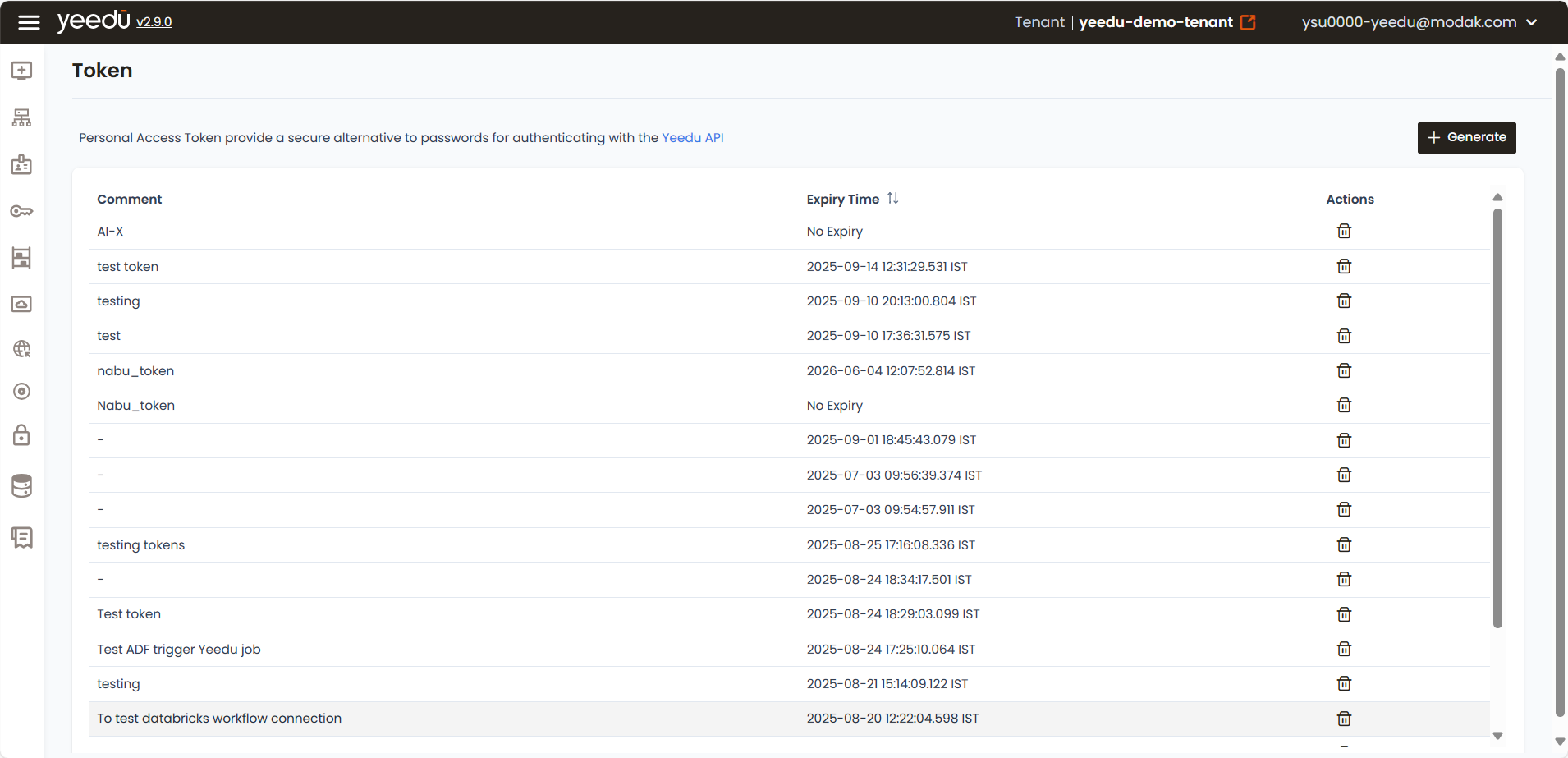
In the Token dashboard, you’ll see a list of all tokens created:
| Field | Description |
|---|---|
| Comment | Descriptive name or note about the token |
| Expiry Time | When the token will expire or if it's permanent |
| Actions | Click the trash icon to delete/revoke a token |
Tokens without a comment will be shown with a – for easy identification of incomplete entries.
Best Practices
- Name wisely: Use clear comments (e.g.,
Test ADF trigger,Databricks token) - Revoke unused tokens regularly to maintain security.
- Track expiry: Be proactive in renewing or replacing tokens nearing expiration.
The recommended resolution for Yeedu UI is 1920 x 1080.